
Mobile · Authentication
Verify PIN
User confirms the reset request with the same 6-digit code screen used during account verification.
Overview
Confirm the password-reset request is coming from the account owner before letting them set a new password.
- 1App opens on Verify PIN after the reset-link email is opened
- 2User enters the 6-digit code emailed for this reset request
- 3App verifies the code with the server
- 4On success, app navigates to Change Password
Leads to: Change Password
Screenshots
1 / 1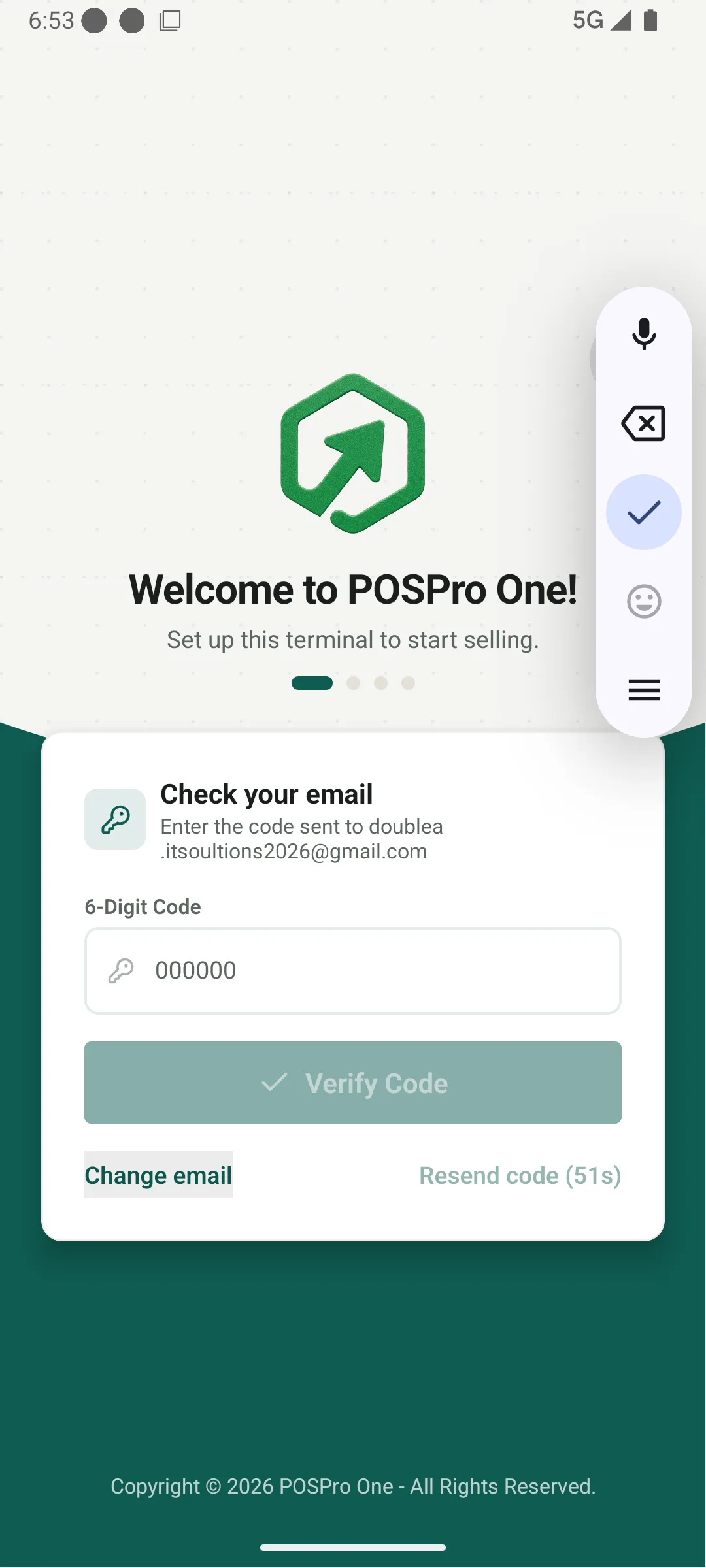
Components
Requirements
- • Required
- • Length: 6
- • Numeric
–
–
–
–
–
–
- Enter the code sent to your email
- That code is incorrect or has expired
Disabled until 6 digits are entered; shows loading spinner during verification.
Change Email Link
Returns to Forgot Password with the entered email pre-filled.
Resend Code Link
Disabled with a countdown after a code is sent; re-enables once the countdown ends.