

POSPro One
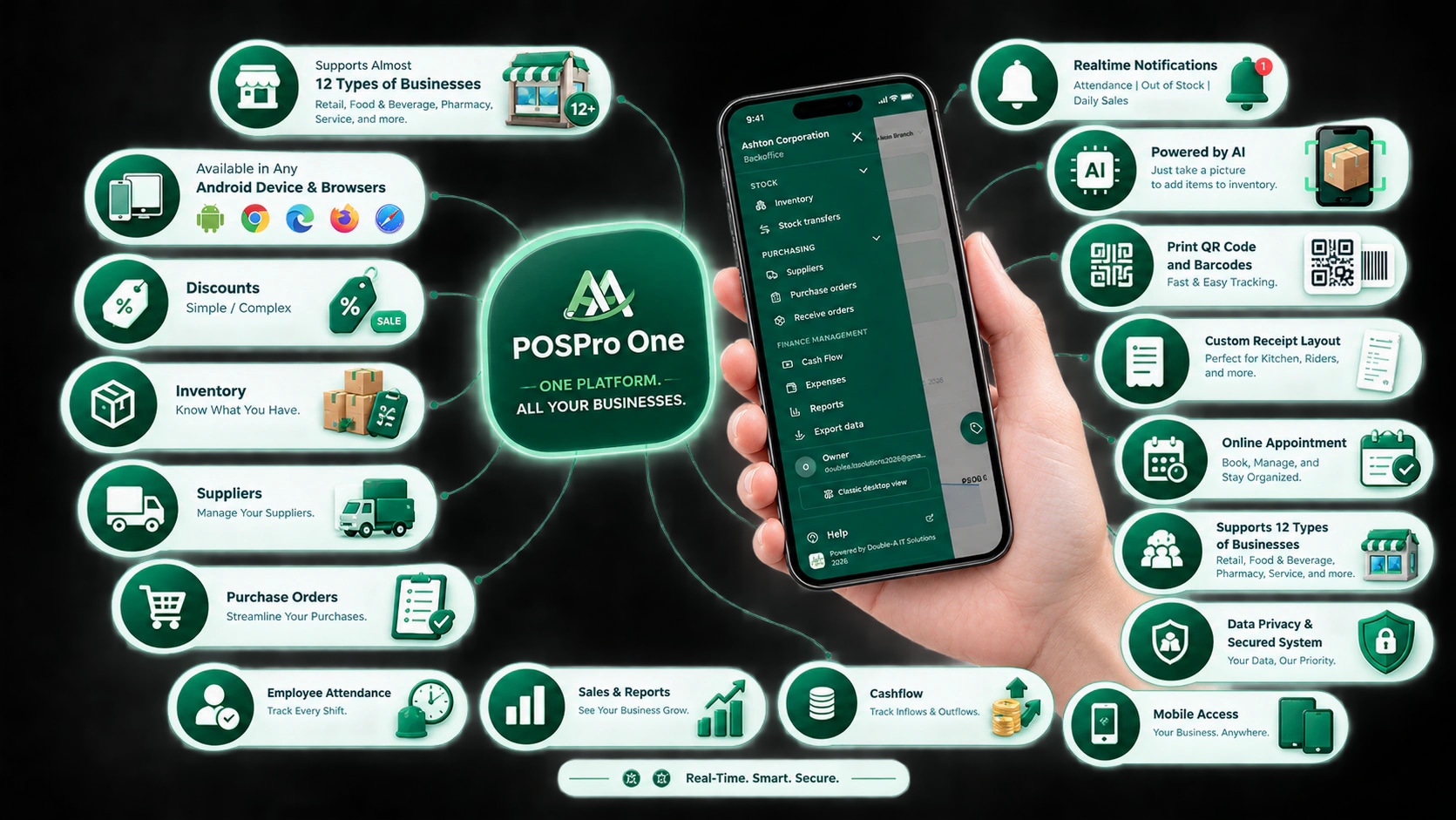
One system for all your businesses — sell, track your stock, and see your real profit, even without internet.
POSPro One puts all your businesses in one place. A hardware store, a water station, and a carinderia can all run on the same account, each with its own branches, prices, and rules. Your registers and stockrooms stay connected — sales, stock counts, receipts, and reports stay correct, whether you're at the counter, at home, or the internet is down.
One platform. All your businesses.
Selling, stock, suppliers, staff, and reports — everything your shops need, in one place, on your phone and on your computer.
0
Kinds of business
0
Feature groups
0
Advanced features
0
Total features
Features
Everything you need, already built in
All your businesses
One account for everything you own — every business, every branch, every register. No more jumping between different systems.
All your businesses in one place
Run your hardware store, water station, and carinderia from one account. Switch between them with one tap.
Advanced featureEvery branch, side by side
Look at one branch at a time, or see all your branches added together.
Each business keeps its own rules
Discounts, tax, receipts, and customer rewards can be set up differently for each business.
Move stock between branches
Send items from one branch or warehouse to another. Both sides update once the items arrive.
Different prices per branch
Add a small price increase for one branch without changing your main price list.
Check your shop from anywhere
See your sales and stock from your phone or computer, even when you're not at the store.
Selling
Everything your cashier needs at the counter — fast, simple, and it never stops working.
Still works with no internet
Keep selling even when the internet is down. Your sales are kept safe and sent once you're back online.
Advanced featureSee sales from every register
Watch sales come in from all your registers at once, as they happen.
Easy price changes at the counter
Give a customer a lower price when you need to. Every change is saved so you can check it later.
Senior and PWD discounts built in
The right discount and VAT are worked out for you — no need to compute by hand.
Sizes, flavors, and add-ons
Sell one product in different sizes or with extras — like large or small, or with an extra egg.
Print receipts right away
Print a receipt the moment a sale is done, with or without internet.
Your shop's name on every receipt
Add your logo, address, and a thank-you message so every receipt looks like it came from you.
Scan barcodes and QR codes
Scan an item to ring it up fast, or print your own labels for your shelves.
Find products by talking
Say what you're looking for out loud and it gets added to the sale — no typing needed.
Know who has paid and who hasn't
Cash, GCash, card, or pay later — you always know which customers still owe you.
Stock
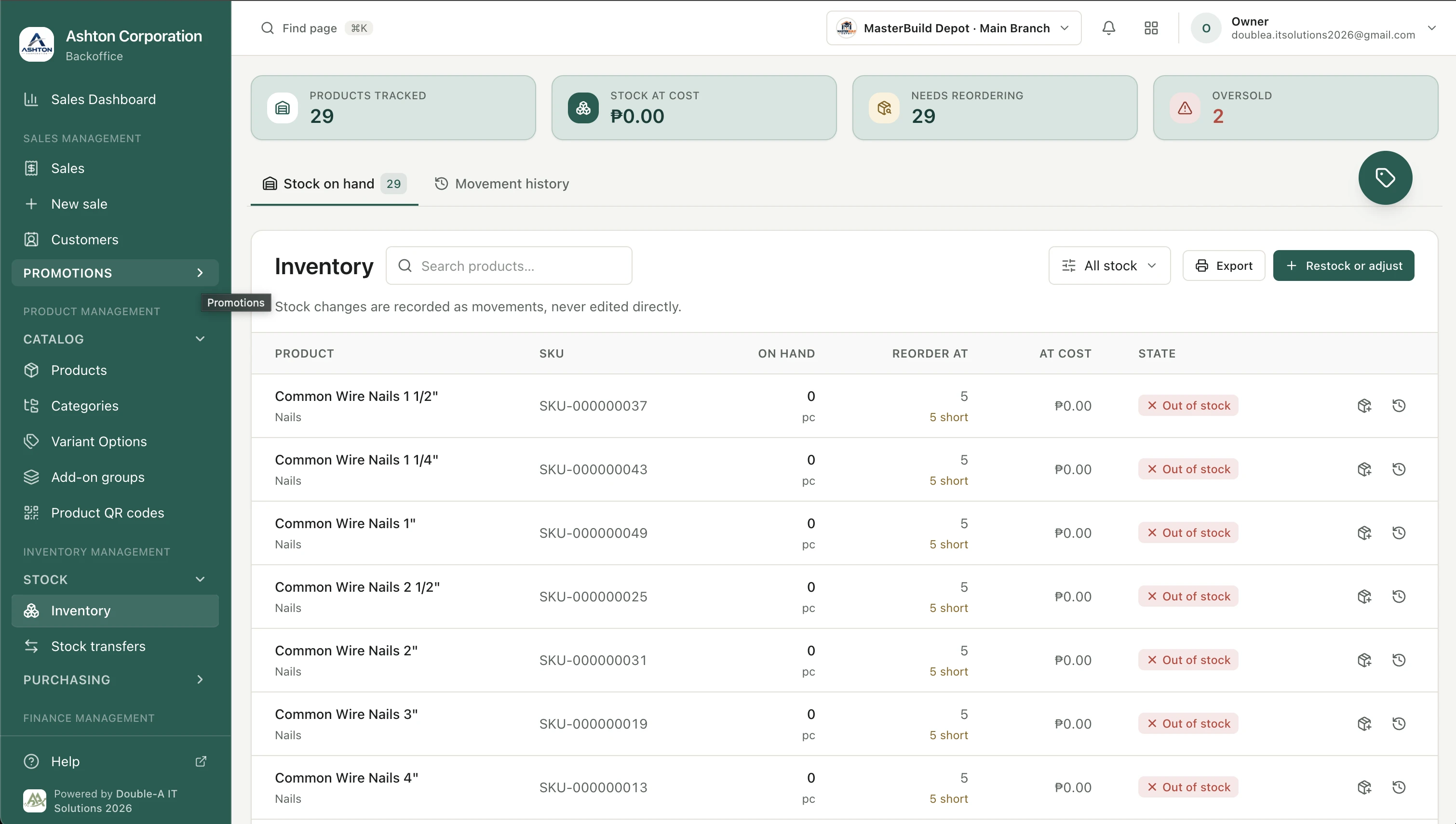
Always know what you have on your shelves, without counting by hand.
Stock counts update themselves
Every sale, delivery, or correction changes your stock count for you.
Know what's running low
See which items you need to order again before they run out.
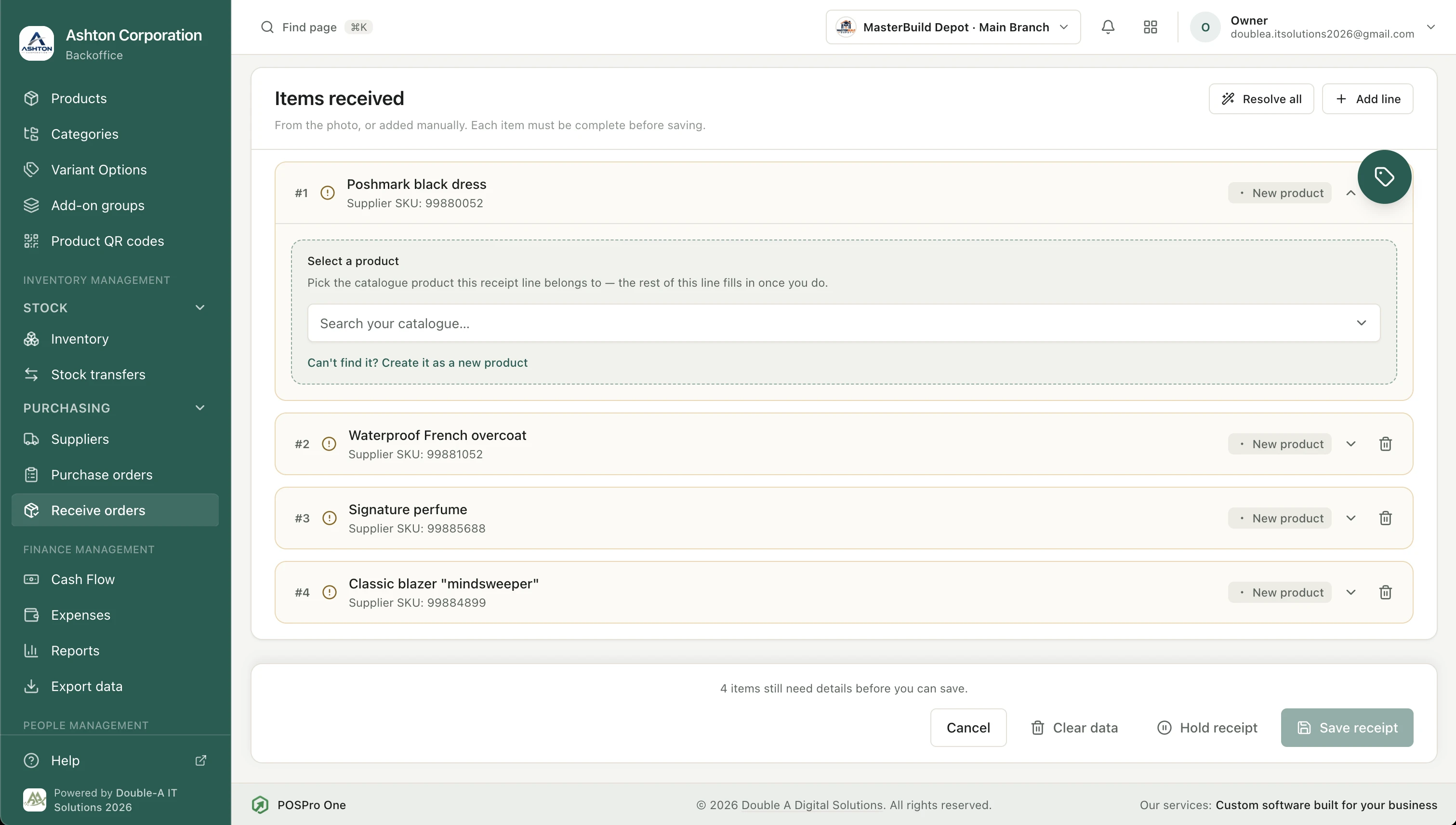
Order from your suppliers
Keep track of your orders, what has arrived, what you still owe, and when it's due.
Every stock change is written down
See what changed, who changed it, and when — so nothing goes missing without a trace.
Start with a ready-made product list
Pick from common items for sari-sari stores, hardware stores, school supplies, and more — no need to type them all in.
Money & reports
Clear numbers that tell you how your business is really doing.
See your true take-home profit
Write down your rent, wages, and bills, and see what you actually keep — not just what came in.
Advanced featureSee your real profit on every sale
The cost of each item is saved at the moment you sell it, so your old reports never change on you.
Money in and money out
See all the money that came into and went out of your business, in one list.
VAT done for you
VAT is worked out on every sale and shown on a ready-made report.
Download your reports
Save your sales and stock reports as a spreadsheet you can open on your computer.
Customers & staff
Take care of the people who buy from you and the people who work for you.
Remember your regular customers
Save their names, addresses, and phone numbers so checkout is faster next time.
Reward loyal customers
Customers earn points every time they buy, and can use them for discounts.
Keep track of deliveries
See which orders still need to go out, and who is delivering them.
Staff clock in from their phone
A simple attendance page where staff clock in with a PIN — and it can check that they're really at the shop.
Advanced featureCashiers unlock with a PIN
Each cashier has their own PIN, so you always know who made each sale.
Made for your business
POSPro One works for almost any shop that sells things. Some kinds of business also get their own special tools — turned on only for the business that needs them, so the rest stay simple.
Water refilling stations
Keep track of borrowed containers and deposits, plan regular deliveries by route, and get reminded when water tests are due.
Advanced featureWindows, doors, and cabinets
Make price quotes from measurements, take deposits, plan your cuts, and keep usable leftover pieces.
Advanced featureRestaurants, carinderias, and silogan
Set up your tables and see which ones are taken. Add extras like more rice or an extra egg with one tap.
Coffee and milk tea shops
Sell drinks in small, medium, and large, with add-ons like pearls or an extra shot.
Sari-sari stores
Ring up items fast, see what needs restocking before it runs out, and keep track of who still owes you.
Clothing shops and boutiques
Sell one item in many sizes and colors, and print price tags with barcodes for each one.
Ukay-ukay
Every piece is one of a kind? Type in the price right at the counter, and still see your total sales for the day.
Pharmacies and drugstores
Senior and PWD discounts are worked out for you, and you can find medicines by name or by scanning the box.
Hardware and construction supplies
Handle thousands of items, sell by the piece, meter, or box, and keep track of orders from your suppliers.
Motorcycle parts and repair shops
Find parts even when the customer doesn't know the exact name, and add labor or service fees that don't count against your stock.
Grocery stores and mini marts
Scan barcodes at every register and watch all your counters' sales add up in one place.
School and office supplies
Start with a ready-made list of common items, so you're ready before the back-to-school rush.
And many more
Bakeries, gift shops, beauty products, pet supplies, farm supplies — if you sell it, POSPro One can keep track of it.
AI-powered
A helping hand that saves you time — instead of typing in every product by hand, let it do the boring work for you.
Turn a photo into a product list
Take a photo of your products and it reads the names for you, ready to add to your shop.
Advanced featureSet up your shop faster
Skip typing in hundreds of products one by one from your notebook or invoices.
You approve everything AI adds
Nothing gets added until you check it and say yes — you're always in control.
AI help fits your plan
A basic amount of AI help is free. Bigger shops can add more if they need it.
Security
Keeps your shop's information safe, and makes sure only the right people can see or change it.
Extra login check for safety
A second check on top of your password, using an app on your phone, so no one else can get in even if they know your password.
Advanced featureCashiers need a PIN to sell
No shared passwords on the counter — each cashier signs in with their own PIN.
Staff only see what they need
Owners, managers, and cashiers each see only the parts of the system that are meant for them.
Your shop's data stays private
Your shop's information is kept separate from every other shop using POSPro One. No one else can see it.
Safe photo uploads
Every picture you upload is checked and cleaned before it's saved, so nothing harmful gets in.
Highlights
See it for yourself
The problems store owners tell us about most — and how POSPro One solves each one.
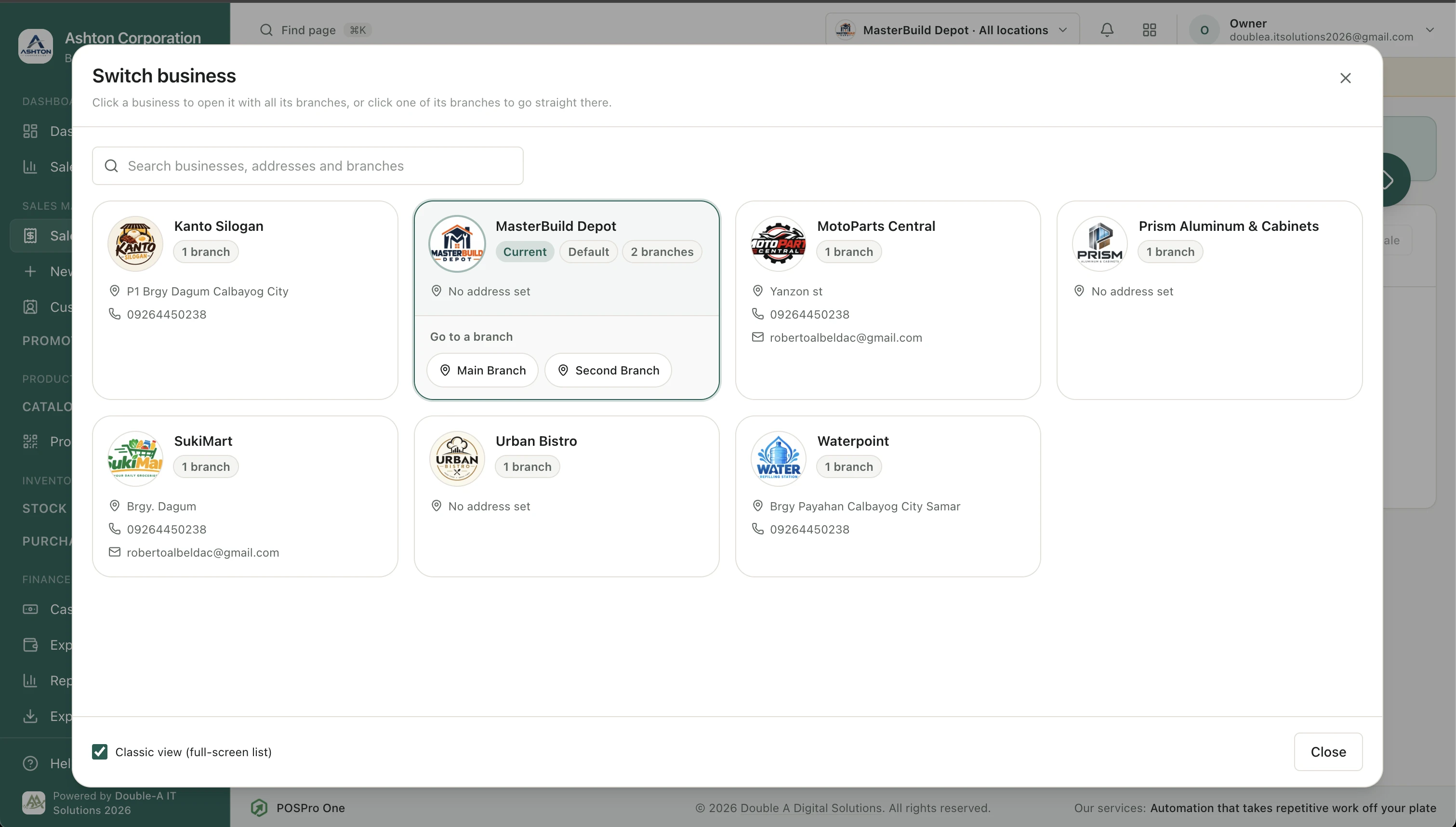
All your businesses and branches in one account
The problem
Own more than one store? You probably use a different notebook, app, or login for each one — and you only see the full picture at the end of the month, if at all.
How POSPro One fixes it
Put every business and every branch under one account. Pick one at the top of the screen to see just that store, or pick "All" to see everything added together.
- Each business keeps its own discounts, tax, and receipts
- Move stock from one branch to another in a few taps
- Set a different price for one branch without touching the rest
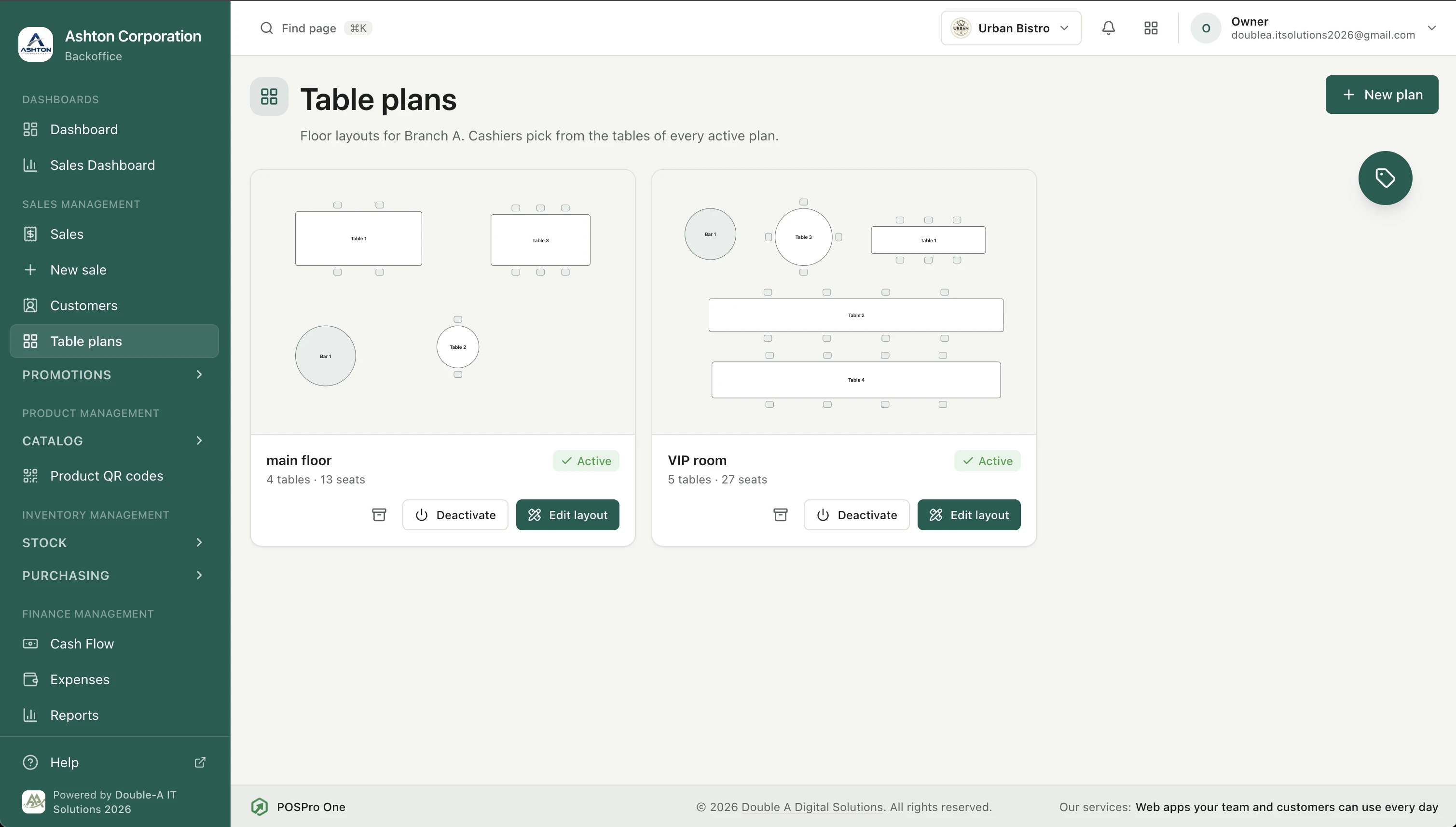
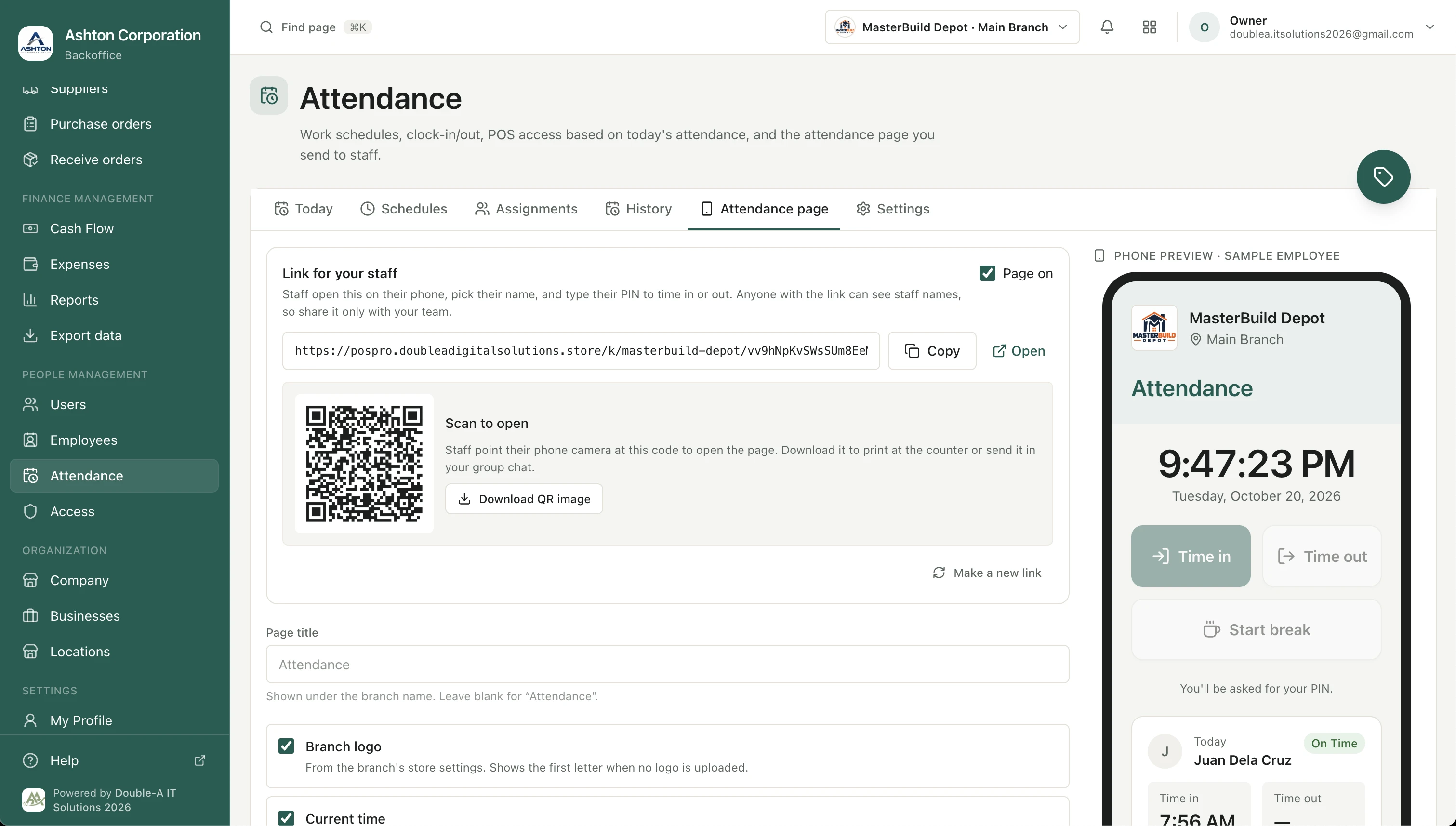
Want to see all the features?
The POSPro One manual explains every feature step by step, with pictures.
Benefits
Why it matters
One system for every business, branch, and register — no more comparing numbers by hand at closing
Stock counts you can trust, no need to recount by hand
Keeps selling even when the internet is spotty, catches up once it's back
See your real take-home profit, not just what came in at the register
Built for
Owners with one or more stores, branches, or kinds of business who want to see everything in one place — real stock, real sales, and real profit, not a guess at closing time.
Pricing
Plans for every store size
Free Trial
- Every feature unlocked — nothing held back
- Try sales, inventory, reports, and more with your own products
- As many businesses and branches as you want to test
- No payment needed to start
- Need more time? Ask us to extend your trial
Monthly
- Every feature included, on every price
- Price depends on how many transactions you make each month
- And on how many businesses you run
- Small store? You pay closer to ₱200
- Grow anytime — your plan grows with you
A thank-you to our first users
These prices are for 2026 and may be updated next year as POSPro One grows. But if you join us now, your price stays the same — forever. It's our way of saying thank you to the pioneers who believed in POSPro One from the very beginning and helped shape it into what it is today.
Need more than 14 days to try everything out? We're happy to extend your free trial — message us and let's talk about what works for you.
Book a demo
Pick a date and time
October 2026
Already booked — pick another date
Pick a date for your POSPro One demo
Available times show up here once you choose a day on the calendar.
Try it yourself
Download the POSPro One app
Install the app on your own device and try it out — add products, ring up a sale, and see how it runs day to day.
- Runs on Android phones and tablets
- Prints receipts on Bluetooth printers
- Updates arrive through the store
The iPhone and iPad version is on the way — we'll post the App Store link here once it's live.
Noticed something? Send feedback — it helps us make the app better.
Support
Found a bug? Have an idea?
Tell us what happened, and we'll take a look. Sign in with Google first so we know who to follow up with.
Learn more
Policies & help
Clients
Where it's already live
Calbayog City
2 clients running POSPro One
More work
Other projects

CareConnect
A caregiving website giving families three clear reasons to trust CareConnect with the people they love most.
View project →
CCPC Registration
A tournament registration system for the Calbayog City Pickleball Club — players sign up and pay online, organizers track everything from one dashboard.
View project →Have an Idea? Let's Talk.
You don't need to have everything figured out before contacting us. Tell us what you're trying to achieve, what's currently challenging your business, or what you'd like to improve — we'll help you explore the right digital solution for your needs.