
Mobile · Authentication
Forgot Password
Admin requests a password reset link for a POSPro One account.
Overview
Let an admin who can't remember their password start recovery without contacting support.
- 1User taps "Forgot password?" on Sign-In
- 2Enters their admin email address
- 3Taps Send Reset Link
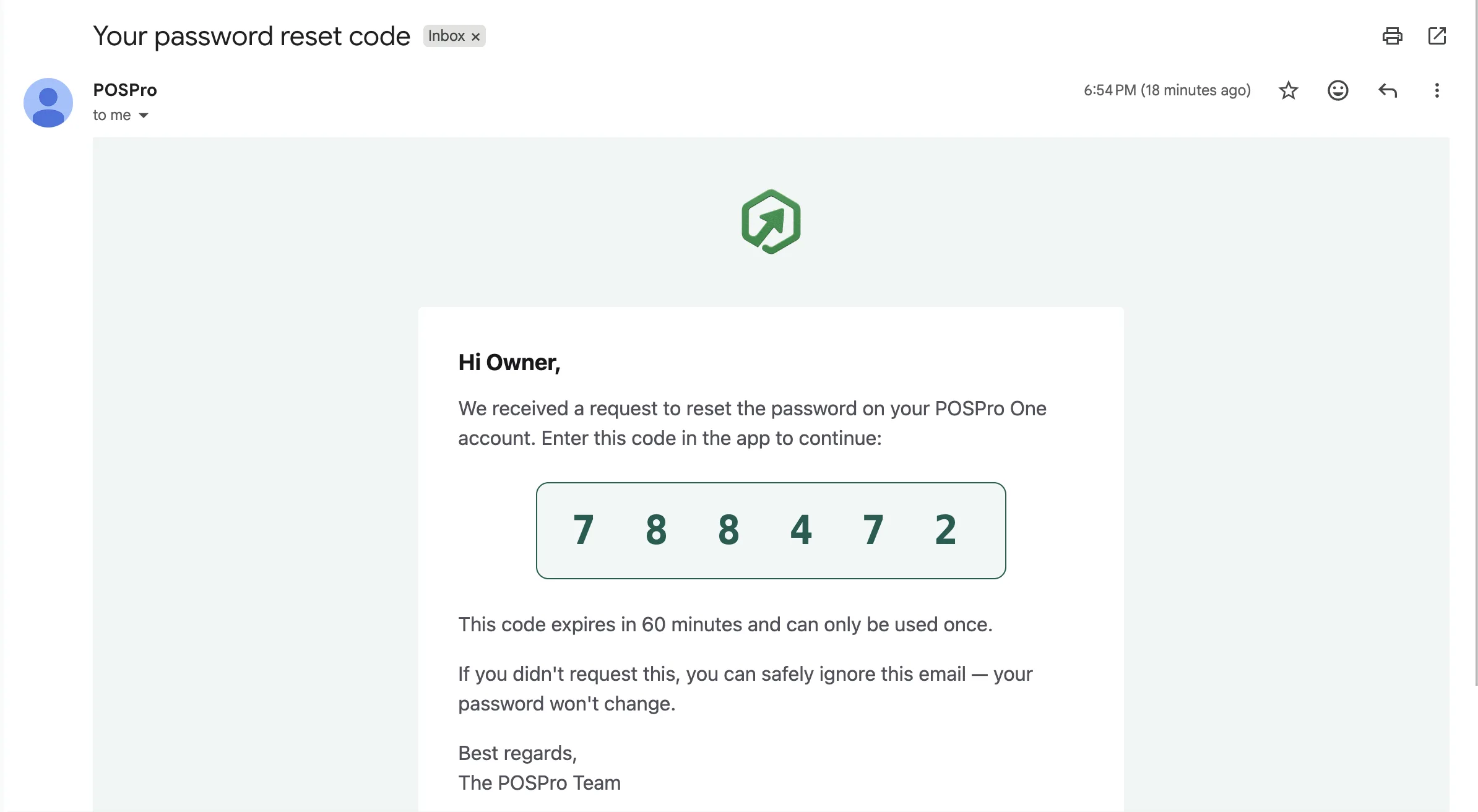
- 4Opens the email and finds a 6-digit reset code ("Your password reset code")
- 5Enters that code on the Verify PIN screen
Leads to: Verify PIN
Screenshots
1 / 1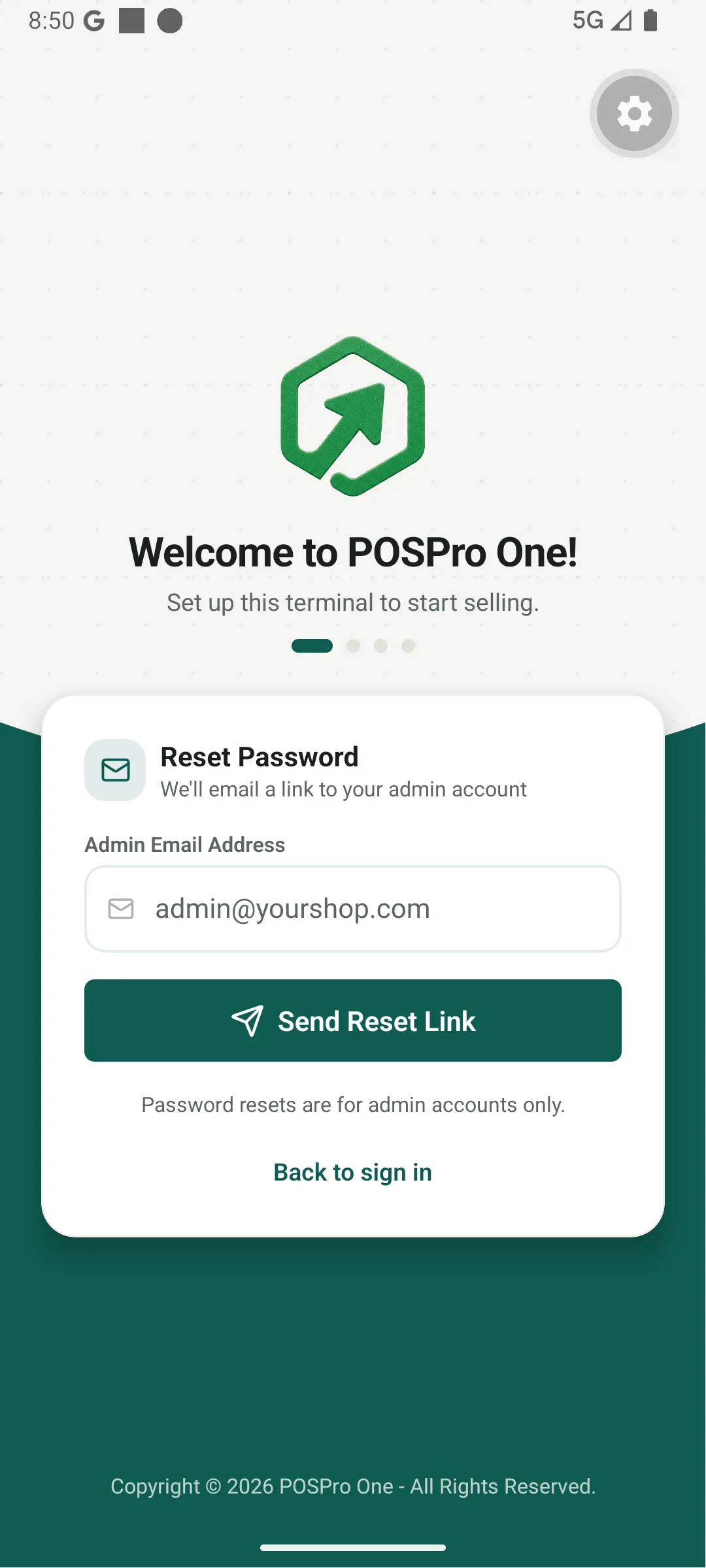
What Happens Next
Didn't get this email? Check your spam or junk folder.
Components
Requirements
- • Required
- • Format: email
admin@yourshop.com
- Please enter a valid email
Shows a generic confirmation regardless of whether the email exists, to avoid leaking account existence.